
A clear view of the pages
Search text, follow bookmarks, fill supported forms and add notes or highlights. Reorder pages, combine documents or take just the pages you need. Print through your system's print dialog.

A little more room
to work with PDFs.
Can working with a PDF feel as straightforward as working with paper? Plico brings reading, editing and organising into one quiet workspace for Mac and Windows. Your documents stay on your device unless you choose to send text to an AI service.
In development · Free initial release planned · Microsoft Store checks underway
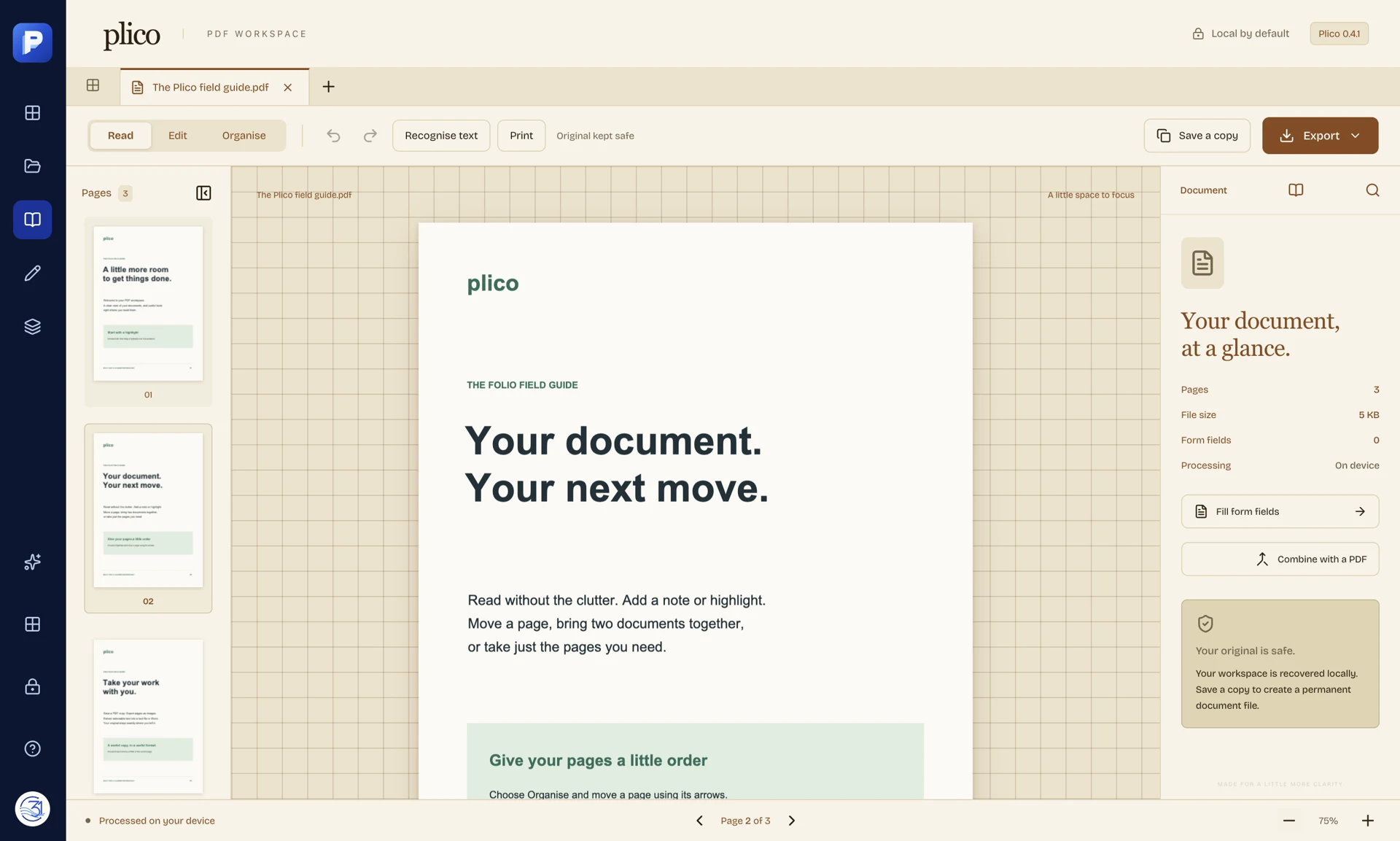
Start with the page in front of you. Read it, make the changes it needs, then save a copy. Plico keeps the original file where you left it.
Search text, follow bookmarks, fill supported forms and add notes or highlights. Reorder pages, combine documents or take just the pages you need. Print through your system's print dialog.
Edit supported text and layout, add images, or turn images, Word and Excel files into PDFs. Export PDF content to Word, Excel or images. Complex documents still need a careful check after conversion.
Recognise printed Latin text with Plico's own OCR engine, review the result and add a searchable text layer. This is an early capability, best suited to clear scans. It does not recognise handwriting.
Use Apple Intelligence on a supported Mac, a local model through Ollama, or your own key for a hosted provider. Choose the text and instruction before sending. The document tools work without AI.
Opening, editing, OCR and conversion run on your device. There is no Plico account, advertising or usage telemetry. Optional recovery copies are encrypted locally with a key protected by your operating system.
Hosted AI receives the text you choose to send, under that provider's policies. In the app, you can turn recovery off, delete its copies and forget saved AI settings and keys.
What stays here, what can leave, and your choices →Plico uses a PDF engine built for this app. Mac and Windows builds are being tested, and the first Microsoft Store release is being prepared. It is not available in the Store yet.
The first release is planned to be free. Optional hosted AI services may charge separately.
Plico is made by Manuel Re at Company31 in Sydney. A troublesome document, a missing step or an idea for a simpler workflow is a useful place to start.
mre@c31.ai · Please describe the problem before sending a private document.